“Our website works on mobile. We checked it once.”
We hear some version of that sentence in almost every first conversation with a London business owner. And it’s usually true in the narrowest sense: the site opens on a phone. But opening isn’t the same as working. Text that needs zooming, buttons that sit too close together, images that take five seconds to appear and menus that vanish behind a banner all count as “working” only if your standards are very low.
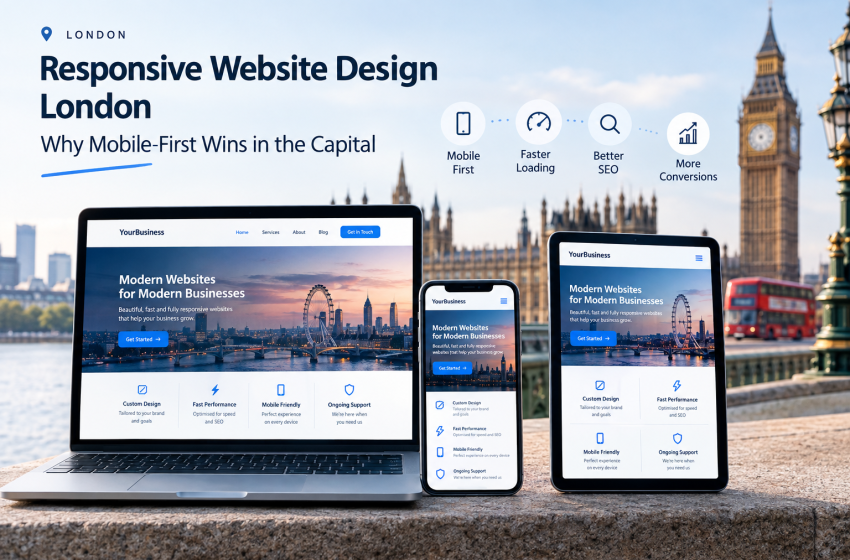
Here’s the truth about responsive website design London customers now expect, and how getting it right turns casual browsers into paying clients.
What “Responsive” Actually Means (and What It Doesn’t)
Responsive design means one website that rearranges itself intelligently for any screen size. It doesn’t mean shrinking a desktop page until it fits, and it doesn’t mean maintaining a separate mobile site.
The Three Building Blocks
Responsive layouts rest on three ideas: flexible grids that resize proportionally, images that scale without breaking, and CSS rules that change the layout at sensible points. If you’d like to understand the mechanics, Learn Responsive Design is a free, well-regarded primer.
Responsive Versus Adaptive Versus “Mobile Version”
Adaptive design serves fixed layouts to specific screen widths. A separate mobile site lives on its own address. Both are harder to maintain and tend to create SEO headaches through duplicated content. Responsive is the standard most modern website development services are built around, for good reason.
Why London Raises the Bar
London isn’t just another market. It’s dense, fast and fiercely competitive, and that changes how people use websites.
Commuters, Walkers and Multi-Taskers
Londoners research on phones during journeys, lunch breaks and queues. They’re often on patchy signal, in a hurry and comparing several local options at once. Pages that load fast and present the essentials up top win those moments.
Local Searches Are Won on Mobile
People searching for a plumber in Islington or a solicitor near Holborn usually want an answer now. Mobile users tend to act quickly, so your phone number, address, opening hours and booking options need to be tappable and prominent. Our Restaurants Near Me project is a good example of location-driven usability in practice.
Competition Is One Click Away
In a city with dozens of alternatives for every service, a frustrating mobile experience sends customers to a rival within seconds. Good responsive design is quiet, invisible and profitable.
How Google Sees Your Mobile Site
Google predominantly uses the mobile version of a page for indexing and ranking. Its documentation on mobile-first indexing explains that content missing from your mobile version may effectively be missing from search altogether.
Content Parity Matters
Hiding text, cutting product details or removing internal links on mobile to “keep it tidy” can hurt rankings. Your mobile and desktop versions should carry the same essential content.
Page Experience and Core Web Vitals
Google measures real-world experience through Core Web Vitals, covering loading speed, responsiveness and visual stability. You can check your own pages with PageSpeed Insights, which flags exactly what’s slowing you down. Combined with solid search engine optimisation, strong performance helps your pages compete where it counts.
The Anatomy of a High-Converting Responsive Page
Great responsive design is about decisions, not just layouts. Here’s what we focus on.
Navigation That Thumbs Can Use
Menus should be simple, tap-friendly and reachable with one hand. Sticky headers with a clear call button often outperform elaborate mega-menus on small screens.
Tap Targets and Spacing
Buttons and links need enough space that a thumb won’t hit the wrong one. Crowded controls are one of the most common (and most fixable) mobile frustrations.
Forms That Don’t Fight Back
Short forms, correct keyboard types (numeric for phone numbers, email keyboard for addresses) and clear error messages dramatically improve completion rates.
Images and Media Done Properly
Oversized images are the number one cause of slow mobile pages. Properly compressed, correctly sized and lazily loaded images keep pages light without sacrificing quality.
Typography and Readability
Legible font sizes, comfortable line lengths and strong contrast make content easier to scan on a small screen, and easier for everyone, including visitors with visual impairments.
Responsive Design for Different Types of Website
Different sites have different priorities, so a one-size-fits-all approach rarely works.
Online Stores
Mobile shoppers abandon baskets when checkout is fiddly. Responsive product grids, quick filters and streamlined payment steps matter enormously, and they’re central to our eCommerce development approach. Our Home Decor UK build shows how a visual, product-rich store can stay fast and browsable on small screens.
Service Businesses
For consultants, clinics and trades, the goal is simple: make it effortless to call, message or book. Click-to-call buttons, short trust-building sections and visible reviews do most of the work.
Content and News Sites
Publishers need fast loading and comfortable reading. Our Technology News UK project demonstrates how dense, frequently updated content can remain clean on any device.
A Simple Way to Test Your Own Site
You don’t need special software to get a first impression.
- Open your site on a phone using mobile data, not Wi-Fi.
- Try to complete your main goal (book, buy or enquire) with one thumb.
- Rotate the phone and check nothing breaks.
- Run your key pages through PageSpeed Insights.
- Ask someone who has never seen your site to try the same task and watch where they hesitate.
Anything that feels awkward to you will feel worse to a stranger.
Keeping It Responsive After Launch
Devices, browsers and Google’s expectations keep changing. Plugin updates, new content and marketing banners can quietly break layouts over time. That’s why regular website maintenance is the difference between a site that stays sharp and one that slowly decays.
Your Turn: What Does Your Phone Say?
Right now, pick up your phone and load your homepage. Does it feel confident or clumsy? If you’re not sure, we’ll gladly take a look with fresh eyes. Visit our about us page to meet the team, then book a free consultation at our Covent Garden studio or by phone. Share your biggest mobile frustration in the comments and we’ll point you in the right direction.
FAQs
- What is responsive website design?
Responsive design is a method of building one website whose layout, images and text adapt automatically to any screen size, from phones to large desktop monitors. - Why does responsive website design London businesses need matter for SEO?
Google primarily uses the mobile version of your site for indexing and ranking. A poor mobile experience can lower visibility, especially in competitive local searches. - Is a responsive website more expensive than a standard one?
Responsive design is now the baseline for professional builds. It requires careful planning, but it’s usually more cost-effective than maintaining separate mobile and desktop sites. - How can I check whether my website is mobile-friendly?
Open it on a real phone, complete your main action, and run key pages through Google’s PageSpeed Insights to spot speed and usability issues. - Can my existing website be made responsive without a full rebuild?
Sometimes, particularly if the underlying platform is modern. Older or heavily outdated sites often benefit more from a redesign, which we can assess during a free consultation.