Web Design Agency UK: What a WordPress Build Can and Can’t Do for Your Business
Choosing a website platform affects more than how your site looks. It influences who can update it, how it performs on mobile, what it costs to maintain and whether it can support future changes.
WordPress is a strong fit for many UK businesses, but it is not a shortcut to a successful website. A crowded theme, unnecessary plugins or unsuitable hosting can make a build harder to manage. And for businesses with complex software or data requirements, WordPress may not be the right foundation.
A good WordPress project starts with the work your website needs to do. Here is what the platform can support, where it needs careful planning and how to assess whether it fits your business.
What WordPress does well
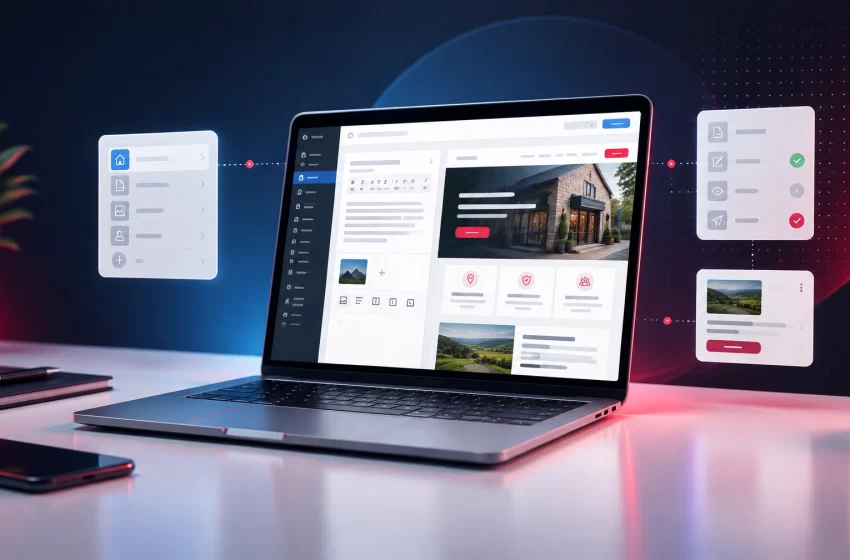
WordPress is a content management system (CMS). It gives authorised users an interface for managing website content without editing code for every change. Its open-source ecosystem also offers a wide range of themes, plugins and developer resources.
For a business that publishes service information, case studies, news or advice, the editing workflow can be a practical advantage. A team member could update a service page, add a staff profile or publish an article through the dashboard, subject to the permissions and editing setup created for the site.
Useful for regular content updates
A WordPress build can make routine publishing more manageable. Roles and permissions can help separate tasks: an editor might prepare an article, while an administrator reviews and publishes it. Scheduled publishing can also support campaigns and planned announcements.
The experience depends on the build. A clear, tailored editing interface can help staff make routine changes confidently. A complicated page builder with many controls can make simple edits harder than they need to be.
Flexible for common business requirements
WordPress can support many standard business website needs, including service pages, blogs, enquiry forms, image galleries and ecommerce through extensions such as WooCommerce. Plugins can connect a site to tools such as email marketing platforms or customer relationship management systems, depending on compatibility and the integration required.
A WordPress development service can help shape the platform around the business rather than forcing the team to work around a generic setup.
Where a WordPress build needs discipline
WordPress itself does not guarantee a fast, secure or easy-to-manage website. Those qualities depend on choices made during design, development and ongoing care.

Themes and page builders
A theme controls the site’s structure and appearance. A page builder can give editors more visual control, but it may also load extra scripts and styles or create complex layouts that are difficult to maintain.
The right approach depends on the site. A lightweight theme with carefully designed page layouts may suit a small services business. A bespoke theme or custom blocks may be more suitable when the brand or editing requirements are distinctive. Ask the agency to explain what will be editable and how the design will remain consistent.
Plugins and maintenance
Plugins can add useful functions, but each one brings its own update schedule, compatibility considerations and potential effect on the site. Too many overlapping or poorly maintained plugins can increase the effort involved in troubleshooting and keeping the website secure.
A sensible plugin policy means reviewing each addition against a clear requirement. Where practical, avoid adding a plugin for a feature that can be handled by the existing setup or a small, well-supported custom component. Keep the WordPress core, theme and plugins updated, and test important changes before applying them to the live site.
Maintenance should be agreed before launch. Confirm who handles updates, backups, security checks and recovery if an update causes a problem. A website maintenance service can cover ongoing technical tasks, but check exactly what the arrangement includes.
Hosting matters
A well-built website can still feel slow or unreliable if it sits on unsuitable hosting. Consider the support available, backup arrangements, security measures, server resources and how the hosting handles expected traffic.
Ask whether hosting is included in the project or provided separately, and who controls the account. You should know how to access your domain, website files and backups if you change supplier. See the agency’s hosting and domain services for details of its hosting options.
Performance, user experience and SEO
A performance-focused build treats speed as part of the user experience, not a final polish task. On a phone, a visitor may be looking for a tradesperson’s service area, a consultant’s contact details or a retailer’s delivery information. If the page is slow, hard to read or difficult to navigate, they may leave before finding it.
Keep pages light and responsive
Useful development choices include sizing images for the space they occupy, using modern image formats where supported, limiting unnecessary fonts and loading scripts only when required. Caching and suitable hosting can also help, but they do not replace testing.
Design for smaller screens as well as desktop. Navigation, forms, buttons and text should work with touch input and different screen sizes. A mobile visitor should be able to call a business or submit an enquiry without pinching, zooming or hunting through a crowded menu.
Test real user experience
Google’s Core Web Vitals provide published targets for loading, responsiveness and visual stability. The “good” thresholds are:
- Largest Contentful Paint (LCP): 2.5 seconds or less
- Interaction to Next Paint (INP): 200 milliseconds or less
- Cumulative Layout Shift (CLS): 0.1 or less
These measures are assessed using real-user data at the 75th percentile, separately for mobile and desktop. They are useful performance goals, not a promise of rankings or conversions. See Google’s Core Web Vitals guidance.

SEO-friendly development also means using meaningful page titles, logical headings, crawlable links, useful image descriptions and clear page structures. WordPress can support these practices, but installing an SEO plugin does not do the work for you. The content, technical setup and user experience still need attention.
Accessibility belongs in the same planning process. Clear contrast, keyboard-accessible controls, descriptive link text, labels for form fields and sensible heading order can make the site easier to use for more people. Test these features rather than assuming a theme handles them automatically.
Can a WordPress site be more sustainable?
A website uses energy through devices, networks and data centres. Reducing unnecessary page weight and processing can contribute to a more efficient experience, but the impact depends on more than the CMS alone.
A lighter design, appropriately sized images, fewer unnecessary scripts and efficient hosting are useful considerations. Be wary of claims that a site is “green” based only on its theme or a single optimisation. The W3C Web Sustainability Guidelines offer a public resource for considering sustainability across user experience, development, hosting and business decisions. They are guidance, not a certification for WordPress websites.
A business looking for a sustainable web design agency in the UK should ask what specific design, development and hosting choices support efficiency, and how those choices are assessed.
Three practical UK business examples
These are illustrative examples, not claims about specific client results.
- Trades firm: A WordPress site could organise services by trade and location, show service areas, and provide prominent click-to-call and enquiry options. Staff could update opening hours or service details without rebuilding pages.
- Professional services firm: A consultancy or accountancy practice could publish expertise-led articles, introduce its team and add structured enquiry forms. A clear path from an article to a relevant service page could help visitors take the next step.
- Small homeware retailer: A retailer could use WooCommerce to manage products, categories and orders. Product images, filters and checkout need careful testing on mobile, particularly if the catalogue or integrations grow.
In each case, the platform is only one part of the result. The page structure, content, forms, performance and follow-up process matter too.
When WordPress may not be the right choice
WordPress is not automatically the best option for every project. A business building a complex web application, a platform with unusual data relationships or a system with demanding integrations may need a more bespoke technical architecture.
For example, if a website needs detailed workflows between users, real-time data, custom permissions and several external systems, a standard CMS setup may require extensive modifications. That can create unnecessary complexity. Discuss the requirements with a web development team before committing to a platform.
The decision should be based on functional requirements, ownership, ongoing support and likely future changes, rather than familiarity with a particular tool.
Questions to ask about a WordPress build
These questions focus on the platform and its long-term operation:
- What theme or page-builder approach will you use, and why?
- How will you decide which plugins are necessary and check their ongoing support?
- Who is responsible for WordPress, theme and plugin updates after launch?
- What hosting, backup and recovery arrangements are included?
- How will you test mobile usability, accessibility and Core Web Vitals?
- Will my business own the domain, hosting account, website files and administrator access?
A performance web design agency should be able to explain how it will measure performance and what it will do if testing identifies a problem. Clear answers are more useful than an unqualified promise that the site will be fast.
FAQs
Is WordPress suitable for a small UK business?
It can be. WordPress is often suitable for businesses that need editable service pages, articles, enquiry forms or a manageable online shop. The right fit depends on the required features and support.
Does WordPress include hosting?
WordPress software does not automatically provide hosting for a self-hosted website. Hosting arrangements depend on the project and provider, so confirm who supplies it and controls the account.
Do plugins slow down a WordPress website?
Not automatically. The effect depends on what each plugin does and how it is implemented. Unnecessary, overlapping or poorly maintained plugins can add technical and maintenance overhead.
Can a WordPress website be accessible?
Yes, but accessibility depends on design, content and development choices. Test keyboard navigation, contrast, form labels and heading structure rather than relying on the platform or theme alone.
What makes a top web design agency in the UK for a WordPress project?
Look for a team that can explain its theme and plugin choices, performance testing, maintenance plan and ownership arrangements. Relevant experience is useful, but clear technical reasoning matters too.
Conclusion
WordPress can give UK businesses a flexible way to manage content and support common website requirements. It works best when the build is designed around real workflows, unnecessary complexity is avoided and performance, accessibility and maintenance are planned from the start.
Explore our WordPress development services or contact the team to discuss your website requirements.