Custom Web Development: When Your Business Needs More Than a Template
A website can begin as a straightforward way to show your services and collect enquiries. As your business grows, the work behind it may become more complicated. Staff might copy website enquiries into a CRM, reconcile orders against a separate stock system, or manage appointments in a diary that does not communicate with the website.
A template or plugin can be a good starting point. But if your team has to work around its limits every day, the issue may no longer be the design. It may be how your website handles information and connects with the tools your business relies on.
Custom web development can address that gap by building a specific workflow or integration into your website. The aim is not to make everything bespoke. It is to make the important parts work together reliably, without adding unnecessary complexity.
What custom web development means for integrations
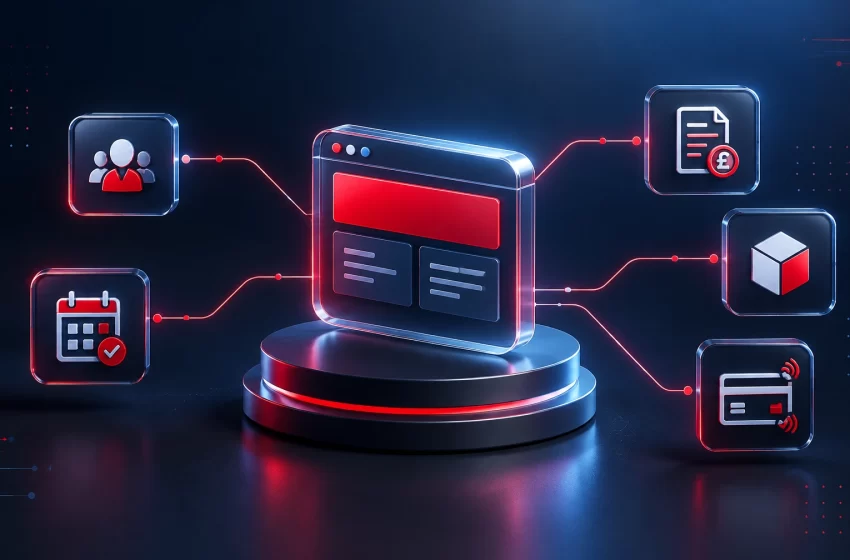
An integration allows two or more systems to exchange information. A website might send an enquiry to a customer relationship management system (CRM), check availability in a booking platform, or pass order details to an accounting or stock system.
Many integrations use an application programming interface (API), a defined way for software to request or share information. Some systems also use webhooks, which send a notification when a particular event happens, such as a new order being placed.
Custom development can define how these connections behave. For example:
- Which system creates and updates customer records
- Which details move between systems
- Whether data is shared immediately or on a schedule
- What happens when information is incomplete or a connection fails
- Which staff members can view or change particular information
The detail matters. “Connect the website to our CRM” is a starting point, not a complete requirement. A more useful brief describes what should happen when a visitor submits a form, which fields should be transferred, and how the team will know if the transfer fails.
Signs your website has outgrown its current setup
An off-the-shelf feature may be enough if it fits your process and can be maintained easily. Consider a more tailored solution when your team regularly encounters problems such as:
Repeated manual data entry
Staff copy customer details, bookings or orders between tools. This takes time and can lead to missed information, duplicate records or delays in responding.
A workflow that does not match the customer journey
A standard booking plugin may not support your appointment types, eligibility rules or approval steps. A generic quote form may not collect the information your team needs to price a job accurately.
A stack of tools that do not work together
Multiple plugins or subscriptions can create a confusing setup. Updates may affect how features behave, and information can become split across platforms. The answer may be a more considered integration, not necessarily a full custom platform.
Limited control over access and processes
A customer portal or membership area may need different permissions for customers, staff and administrators. If a plugin cannot support the access rules your business needs, custom functionality may be appropriate.
Practical examples of integration-led development
A building firm’s quote and scheduling process
A building firm could use a guided quote form to collect the property type, postcode, job details and preferred dates. The website might then send a structured enquiry to the firm’s CRM, where the team can review the details and arrange a site visit.
If a calculator is suitable, it should give an estimate only where the firm’s pricing rules support one. It should not imply a confirmed quote if staff still need to assess the job.

A professional services client portal
A consultancy or accountancy practice may want existing clients to access documents, check appointments or view invoice information. A portal can provide a more organised route than sending files through long email chains.
The design needs to make important actions clear on mobile as well as desktop. Access controls, secure authentication, document handling and support arrangements should be considered before development begins.

A retailer’s stock and order workflow
An online retailer may need the website to reflect stock held in another system. A planned integration can help reduce mismatches between the stock record and the products customers see online. Order details may also need to reach fulfilment or accounting software.

For a retailer considering this type of work, eCommerce development should account for the full customer journey, from product discovery and checkout to order updates and post-purchase support.
These are examples of possible requirements, not guaranteed outcomes. The right approach depends on the software involved, its available integration options and the business rules.
Plan the workflow before writing code
A reliable integration starts with understanding the process. Before development, map how information is created, used and updated.
Decide which system owns each record
Choose the main source of truth for each type of information. For example, a CRM might own customer details, while an accounting platform owns invoice records. Without clear ownership, connected systems can overwrite one another or create conflicting versions.
Define the data flow
List the information that needs to move, in which direction, and when. Only transfer the fields required for the task. This makes the integration easier to understand and can limit unnecessary exposure of personal information.
Check the software’s capabilities
Confirm that each provider supports the required API or integration method. Check access permissions, usage limits, available data, ongoing subscription costs and what happens if the service changes. A supplier’s advertised integration may not cover every workflow your business needs.
Include data protection from the start
Where personal data is involved, consider the purpose for collecting it, where it goes, who can access it and how long it should be retained. The Information Commissioner’s Office (ICO) explains the principle of data protection by design and by default. Your business should review its own responsibilities and privacy information; development alone does not establish compliance.
Make reliability part of the feature
An integration should be tested beyond the ideal scenario. What happens if the CRM is unavailable, a customer leaves a required field blank, or an order is sent twice?
A considered build can include validation, clear error messages, safe retry handling and a way for staff to spot records that need attention. Testing should take place in a staging environment before changes go live, using realistic scenarios across supported devices and browsers.
For customer-facing features, usability remains central. A quote form should not ask for unnecessary information. A portal should make the next step easy to find. Pages should load efficiently, work on mobile, and support keyboard navigation and readable contrast. These choices contribute to accessibility and can also reduce friction for customers trying to complete a task.
Search visibility also needs attention. New functionality should not create confusing page structures, inaccessible content or slow experiences. Use clear page headings, meaningful link text and crawlable content where appropriate. A developer should consider SEO foundations as part of the implementation, not treat them as an afterthought.
When a standard tool is the better option
Custom development is not automatically the right answer. An established booking platform, e-commerce service or well-maintained plugin may already meet your needs with less cost and effort.
An off-the-shelf option is often sensible when:
- The process is standard and the product meets it
- You need to launch quickly and test demand
- The feature is not central to how your business operates
- Your team can manage the tool and its subscription
- You do not have a plan or budget for maintaining custom code
Custom work is more compelling when a specific business rule, integration or customer journey cannot be handled reliably by available tools, and the value of solving it justifies the build and ongoing support.
Questions to ask about integrations and ownership
When speaking to web development agencies in the UK, ask focused questions about the systems and workflows involved:
- How will you check whether our existing software supports the integration?
- Which system will be the source of truth for each data type?
- How will failed transfers or duplicate records be detected and handled?
- Who owns the custom code, accounts and configuration after launch?
- What documentation, testing and maintenance are included?
A web development company in the United Kingdom should be able to discuss these practical details, not just the visible design. Ask whether updates to third-party software could affect the integration and who would monitor or fix issues.
The phrase “professional web development services UK” can cover very different project scopes. Compare proposals by the outcomes, testing, documentation and ongoing responsibilities they include, not by labels alone. Choose a web development service company that can explain the plan in clear terms and identify what is outside the agreed scope.
For an overview of the agency’s broader web development services, see the service page. For a related discussion of custom-built and off-the-shelf approaches, read Bespoke Web Development Agency UK: Custom-Built Beats Off-the-Shelf.
Frequently asked questions
Does custom web development mean building a website from scratch?
Not necessarily. It can mean adding a tailored feature or integration to an existing website. The right scope depends on the requirements and the current platform.
Can a template website connect to a CRM or booking system?
Often, yes. Many platforms offer built-in integrations or plugins. Custom development may be useful when those options do not support the required data flow or business rules.
How long does a custom integration take?
Timing depends on the systems, access to their APIs, data complexity, testing needs and project scope. A developer should assess these factors before confirming a timeline.
What happens if a connected service changes its software?
The integration may need an update. Ask who monitors provider changes, how support is arranged and whether the code and documentation will be available to your business.
Does custom functionality need ongoing maintenance?
Yes. Software providers can change their APIs, and websites need security updates and testing. Agree who is responsible for maintenance before launch. Website maintenance services can help businesses plan for ongoing site support.
Build around the process your business needs
A website becomes more useful when it supports the real work behind your customer journey. Custom web development can connect systems, reduce avoidable manual steps and give customers a clearer way to enquire, book, buy or access services. The best solution may still be an existing tool; the important step is identifying what your business actually needs before adding complexity.
Explore Web Design Agency UK’s web development services or contact the team to discuss a website feature or integration requirement.