
Bespoke Website Design UK: When a Custom Online Shop Earns Its Keep
A small online shop can often launch successfully on an established platform. The challenge comes when its catalogue, fulfilment rules or customer journey no longer fit the standard setup.
For a UK retailer, that might mean shoppers struggle to find the right product, delivery options are unclear, or checkout asks for details that are not needed. A bespoke shop can address those specific issues. It is not automatically the right choice, though. The decision depends on what the business needs to sell, how it operates and where its current platform is falling short.
Start with how customers choose products
A useful shop helps people move from a broad need to a suitable product without unnecessary effort. That journey should shape the site’s navigation and category structure.
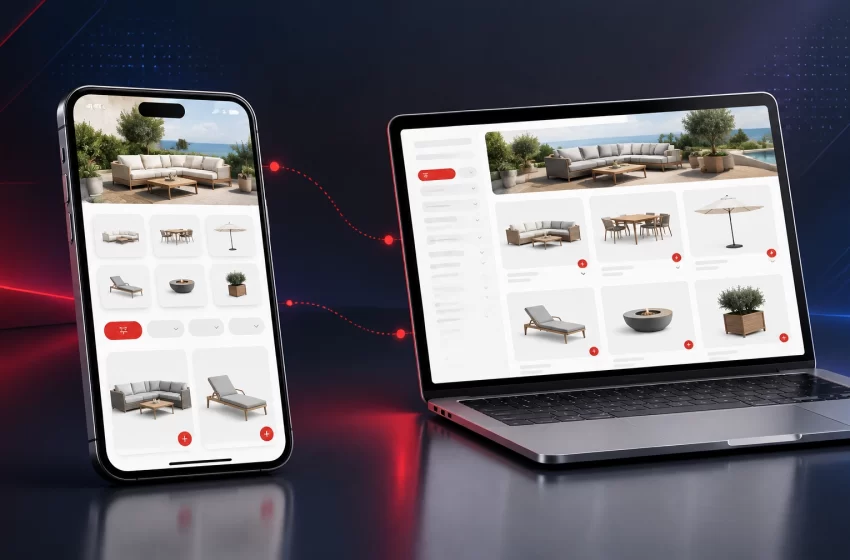
A garden furniture retailer, for example, might organise products by furniture type, material, seating capacity and intended space. Filters for dimensions, colour, price and availability can make a large catalogue easier to explore. A home décor shop may need categories by room, product type or style, with clear options for material and colour.
These are practical examples, not one-size-fits-all layouts. The right categories reflect the products and the language customers use to find them.

Make site search useful
Search should handle common variations in how people describe products. A customer looking for a “side table” may also type “bedside table”. Synonyms, typo tolerance and useful suggestions can help shoppers find relevant items even when their search terms do not match the product title exactly.
A good empty-results page should offer alternatives, such as related categories or a way to adjust filters. It should not leave the customer at a dead end.
Give product pages the details shoppers need
A product page should make important details easy to find before a customer adds an item to their basket. Depending on the product, that could include dimensions, materials, compatible accessories, care instructions, stock status and delivery information.
For a large item such as garden furniture, dimensions and delivery arrangements may influence the purchase. For a lamp, shoppers may need to check its size, finish and bulb requirements. The details vary, but the purpose is the same: help people assess whether the item suits their needs.
Design for mobile shopping, not just smaller screens
Responsive design should preserve a useful shopping experience across phones, tablets and desktops. Simply shrinking the desktop layout can leave filters difficult to use, images too small to inspect and important actions hard to reach.
On mobile, consider how shoppers will:
- Open menus and product categories
- Search and apply filters
- View product images and choose variants
- Check delivery information
- Add an item to the basket and continue shopping

Product photographs can support decisions when they show useful angles and details. They should also be optimised so image-heavy pages do not become unnecessarily slow. A developer can use appropriately sized files and formats, while retaining enough image quality for customers to inspect products.
Speed is particularly important on catalogue and category pages, where many images or filters can load together. Test on real devices and ordinary mobile connections, not only on a fast office network.
Make checkout clear and predictable
Checkout is where customers review their order and provide the information needed to complete it. Keep the route focused. Avoid unnecessary fields, explain delivery choices, and show the basket contents and total before payment.
For UK customers, make prices and delivery terms clear. Where applicable, display VAT-inclusive prices and explain any delivery charges or restrictions before the final step. If a product has a larger-item delivery arrangement or limited regional availability, state that clearly rather than revealing it after a customer has started checkout.
Guest checkout can reduce barriers for people who do not want to create an account. Google’s checkout guidance also recommends supporting guest checkout, collecting only necessary details and keeping product availability and pricing consistent through the purchase journey.

Design for accessible interactions
Customers should be able to use navigation, filters, product options and checkout fields with a keyboard as well as a touchscreen or mouse. Use clear field labels, visible focus indicators, readable contrast and specific error messages. Do not rely on colour alone to show which option is selected or where an error has occurred.
The UK Government’s WCAG 2.2 overview outlines principles for making digital services perceivable, operable, understandable and robust. Treat accessibility as part of the design and testing work, not a final visual check. Automated tools can help identify issues, but they do not replace manual testing.
Build product pages that can be discovered
A shop’s information architecture affects both customers and search engines. Use descriptive category names, logical page paths and useful links between related products, categories and buying guides.
Each important category and product page should have a distinct purpose. Helpful content can answer questions about sizing, materials, compatibility or care. Avoid copying generic supplier descriptions across the catalogue; original details can better explain what makes an item relevant to your customers.
Product structured data can help search engines interpret information such as price and availability. Keep it accurate and aligned with what shoppers can see on the page. If filters create many similar URLs, decide which combinations are useful landing pages and how the rest should be handled to avoid unnecessary duplication.
For wider technical and content considerations, see the agency’s search engine optimisation service.
When does a bespoke shop make sense?
Bespoke website design can be worth exploring when a retailer has requirements that a standard theme or configuration cannot handle cleanly. Examples include complex product options, unusual delivery rules, specialist search or filters, integrations with stock systems, or a catalogue that needs a distinctive way to browse.
A custom build is not automatically better than an established platform. Shopify or WooCommerce may be suitable when the catalogue and sales process are straightforward and the available tools meet the business’s needs. An off-the-shelf platform may also be a sensible way to validate a new product range before investing in additional functionality.
The decision should be based on the actual limitation, not the word “custom”. Compare the cost and upkeep of tailored features with the cost and constraints of adapting a standard setup. A bespoke website development project should solve clear business and customer problems, not add complexity for its own sake.
Explore the agency’s eCommerce development, Shopify development and WooCommerce web development services to compare possible routes.
Questions to ask an eCommerce agency
Searches for a website development company UK businesses can hire often return providers with broad service offerings. For an online shop, ask specific questions about the catalogue and purchasing journey:
- How will you organise our categories, product options and filters?
- How will the design work on mobile, including search and product selection?
- How will you test delivery charges, stock status, discounts and payment failures?
- Which integrations are included, and how will product and stock data stay consistent?
- How will you measure site performance, accessibility and checkout issues after launch?
A capable bespoke web design agency should be able to explain its technical choices in relation to your actual requirements. Ask how staff will manage products day to day, what ongoing maintenance involves and which elements depend on third-party apps or services.
The right bespoke web design services should cover the experience as well as the appearance: product discovery, clear information, accessible interactions and a checkout that works as intended. Strong bespoke web development should make those decisions reliable across the shop. Platform choice and the level of customisation should follow from the requirements.
FAQs
What is bespoke website design for an online shop?
It is a shop planned and designed around a retailer’s products, brand and customer journey. The platform may still be Shopify, WooCommerce or another system; bespoke design does not always mean building every feature from scratch.
Is a custom online shop better than Shopify or WooCommerce?
Not by default. Established platforms can suit shops with standard product and checkout needs. Bespoke work is more relevant when there are specific requirements that existing features cannot support effectively.
Can bespoke web design improve product discovery?
It can support clearer categories, more useful filters and better search functionality. The benefit depends on how well those features match the catalogue and what customers need to find.
What should an accessible ecommerce checkout include?
Clear labels, keyboard-operable controls, visible focus states, readable contrast and specific error messages are useful foundations. Test the complete checkout journey, including product options and delivery selection.
What should I prepare before discussing a custom shop?
Gather information about your products, variants, stock management, delivery rules, payment needs, integrations and customer questions. Examples of current shopping problems can help an agency assess whether custom functionality is necessary.
A shop designed around the way you sell
A custom online shop earns its keep when it makes a real part of buying or managing products work better. Begin with catalogue needs, delivery rules and customer feedback. Then compare the benefits of tailored functionality with the cost and upkeep of a standard platform.
Explore our eCommerce services or contact Web Design Agency UK to discuss the right approach for your shop.